
Overview
Video collections/folders are a powerful tool for organizing and managing video content within your organization. This feature is designed for users who need to efficiently access, share, and control their video resources. By utilizing collections, users can streamline their workflows and ensure quick access to essential video content.
Video Tutorials
Watch these step-by-step video tutorials to get the most out of your video collections. Each video guides you through different aspects of using collections effectively.
Accessing Collections: Learn how to access your recent collections from the dashboard.
Steps
-
Access Recent Collections
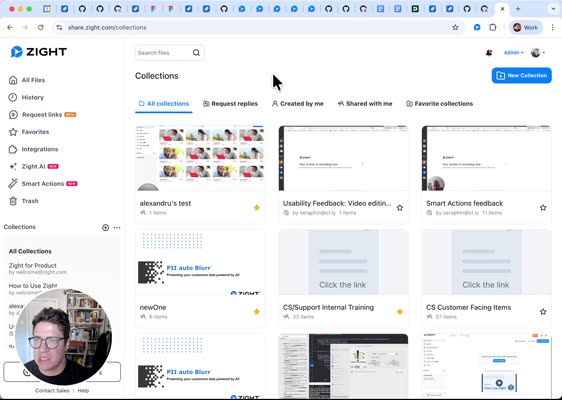
Navigate to your dashboard to find the list of your recent collections on the left. These are the collections that have been edited most recently.
-
View All Collections
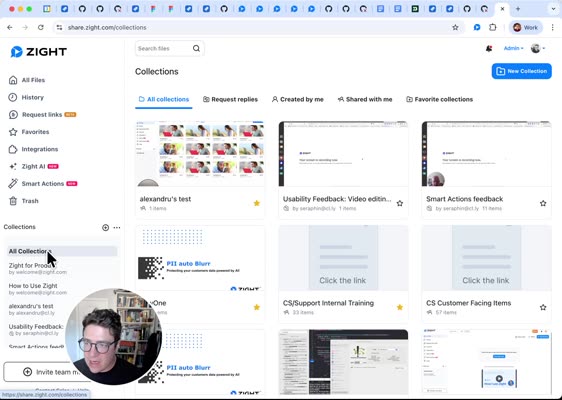
Click on All Collections to navigate to a page listing all collections available to you, including those shared within your organization.
-
Filter Collections
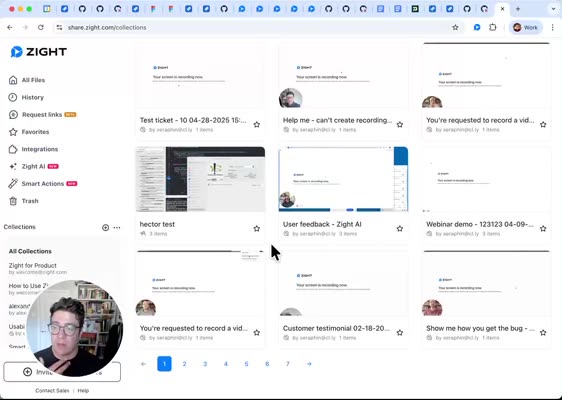
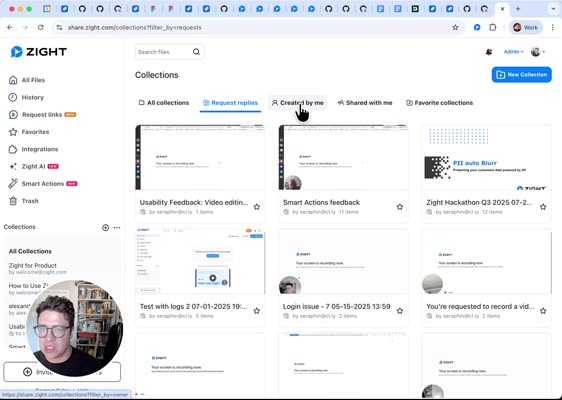
Utilize the filters at the top of the page to refine your view. Use the All Collections filter to display every collection available.
-
Request Replies
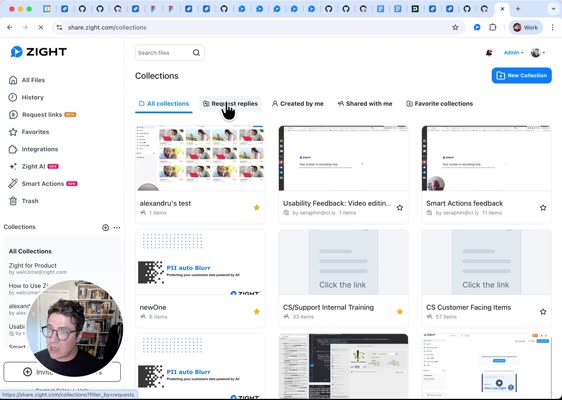
Select the Request Replies filter to view collections created from request links, ideal for tracking video responses.
-
Explore More Filters
Use filters such as Created by Me, Shared with Me, and Favorite Collections to effectively manage your collections.
-
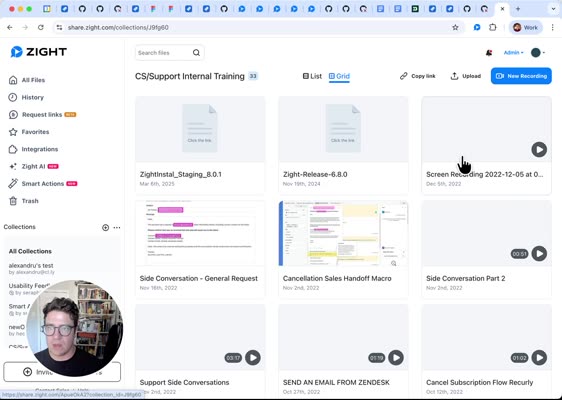
View Collections
Open a specific collection, such as an internal support training collection. Note that you cannot edit collections unless you own them.
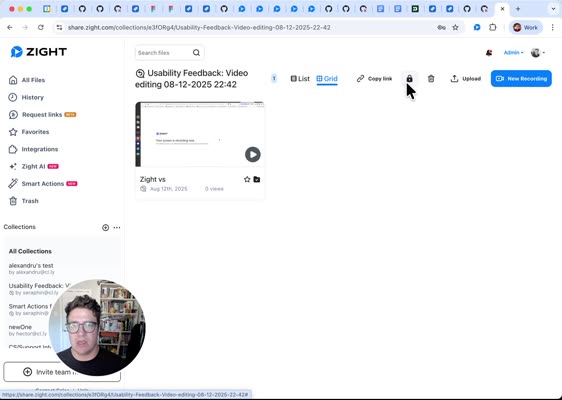
-
Change Access Settings
Modify access settings for collections you own by choosing options like Anyone with the link can view or requiring an email address for access.
Change a collection thumbnail
If you own a collection or have permission to edit it, you can replace the automatically selected collection thumbnail with your own image.
- Open All Collections.
- On the collection card, select Change thumbnail.
- Drag an image into the upload area, or click the area to browse for a file.
- Review the preview and select Save.
Collection thumbnails support JPEG, PNG, and GIF files up to 2 MB.
To return to the automatic thumbnail, open Change thumbnail and select Remove thumbnail. Zight will use a thumbnail from the collection's content when available.
Custom thumbnails also appear in link previews for public collections. You cannot change the thumbnail for a collection you do not have permission to edit.
Tips & Best Practices
- Regularly update your collections to keep content relevant.
- Utilize the search function to quickly locate specific videos within collections.
- Share collections with stakeholders to enhance collaboration.
Troubleshooting
- Missing Collections → Ensure you have the correct access permissions or check if the collection was deleted.
- Unable to Edit Collection → Confirm that you are the owner or have editing rights to the collection.
FAQs
-
Q: Can I share collections with people outside my organization?
A: Yes, adjust the access settings to allow external sharing. -
Q: How do I favorite a collection?
A: Click the star icon next to the collection name to add it to your favorites.
See the full video: https://share.zight.com/01991013-d8b9-7572-a553-2dfafb61d61f?sa=step_by_step_guide
Comments
0 comments
Article is closed for comments.