
Note: this feature is available only on the Scale plans.
Step-By-Step Instructions
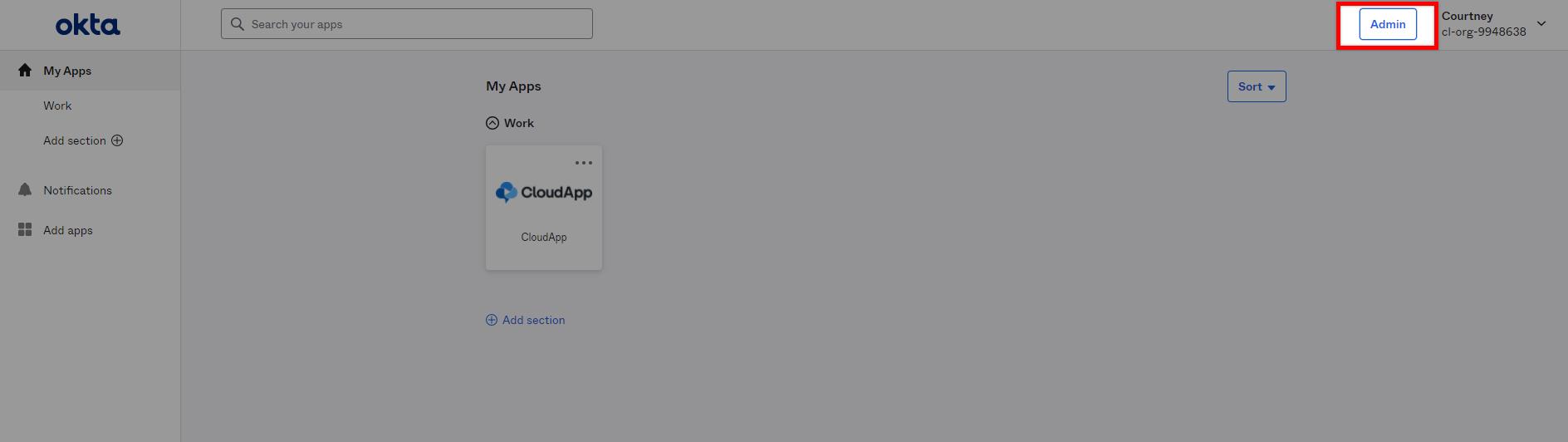
Go to your Okta account and access the admin panel.
Create an App Integration.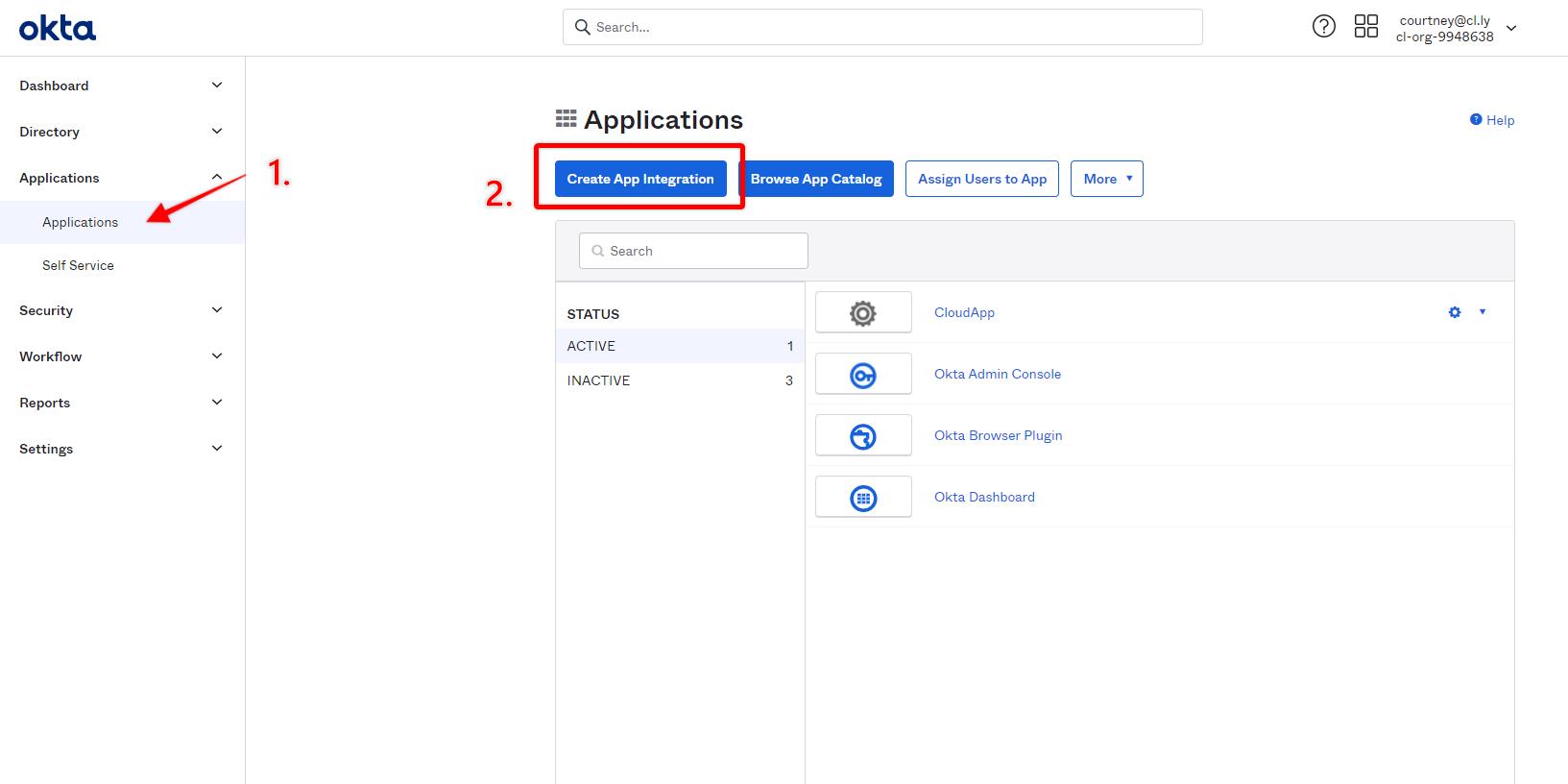
Select SAML 2.0.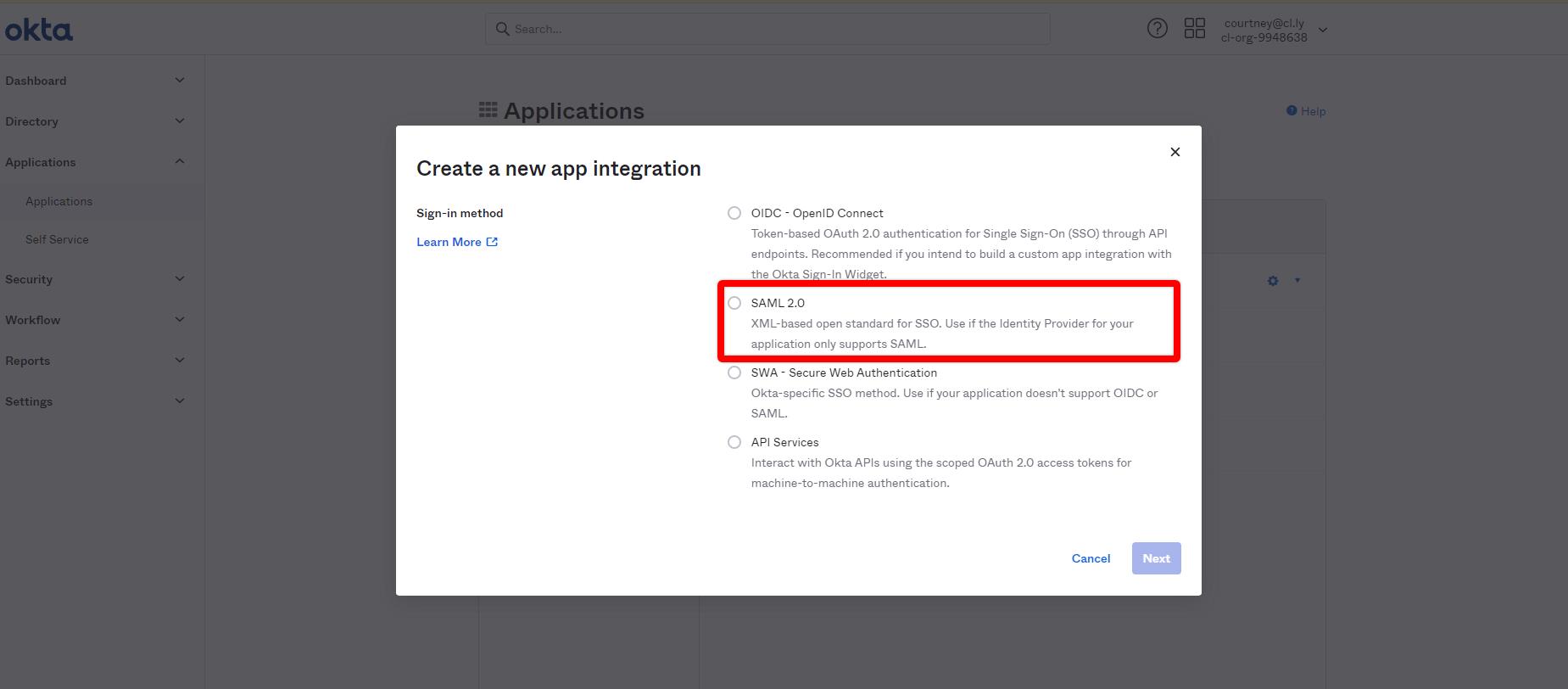 Customize the general settings according to your needs

Set SSO fields using the links below. Remember to replace "ORG_ID" with your actual ORG ID. Read here on how to find your ORG ID.
Single sign on URL: "https://share.zight.com/organizations/ORG_ID/saml/acs"
Audience URI (SP Entity ID): "https://share.zight.com/organizations/ORG_ID/saml/metadata".
 Check off the box "This is an internal app that we have created.
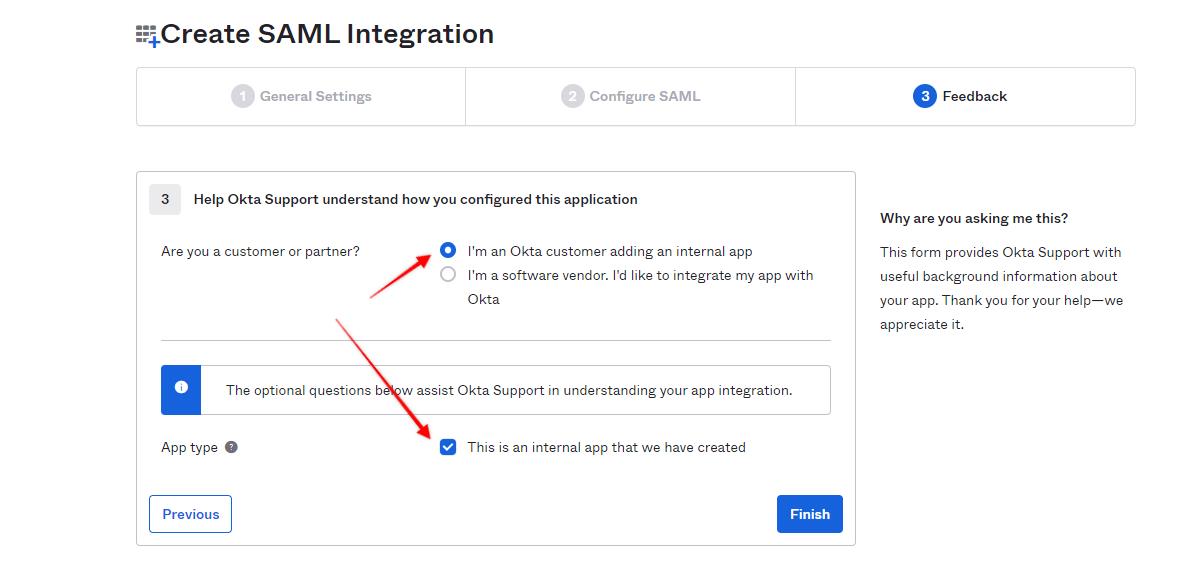 Go to the "Sign On" tab, and select "View Setup Instructions."
 Provide us with these. With this information, it will take us minutes to allow you to log in via SSO.
Comments
0 comments
Article is closed for comments.